Today I am introducing, "Tech Tuesday" to my blog. I consider myself somewhat of a technology freak geek. I am the person who loves to have all the latest technology gadgets, upgrades, new apps, etc. I mean I am on the edge of my seat waiting for the Windows 10 upgrade this week. Hopefully, I am in the first round of those who receive it! In addition to upgrades and apps, my husband might tell you that I am a little selfish when it comes to technology. Every year when our cell phone upgrade rolls around, he says,"Finally, I can get a new cell phone". Just so you understand, Bobby has had the same flip phone since flip phones were the BIG thing! He has the original flip phone!! He has fished it out of the river and I have brought it back to life...good as new! Every year, I am able to convince him that his phone is just fine and it is all he needs. Once he is convinced, I jump online and order my upgrade. Typing this, yeah, it does seem a bit selfish and I am a bit ashamed, but bless his heart, he understands my need for technology. Technology is a big part of my world and my business. I have a lot of tips and information I want to pass along that I use in my business, as well as my personal life. I hope to be able to share some of this with you.
This week I want to give you a little information about the Windows 10 upgrade.
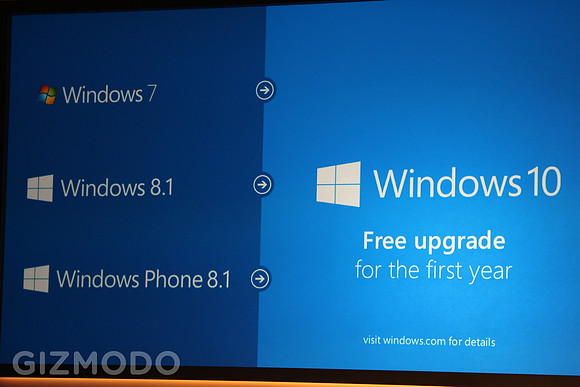
First and foremost the Windows 10 upgrade is FREE to those who have a qualified Windows 7, Windows 8.1, and Windows Phone 8.1 device. Windows 10 will be available tomorrow, July 29, 2015. If you are not as excited as I am about the upgrade, you have one year to take advantage of this offer.
To reserve your copy of Windows 10, you need to install the latest updates on your computer. After you have successfully installed all the Windows updates, the GET WINDOWS 10 app will be installed on your computer. This app lets you reserve your copy of Windows 10. A little Windows icon will show up on the system tray. Click on the windows icon and RESERVE YOUR FREE UPGRADE. Enter your email address to receive confirmation of your reservation. Now you should see a message that says your upgrade has been reserved. That's it...that's all you need to do!
So now what? Well tomorrow it will go out first to the members of the Windows Insider Program. These guys have been testing the new operating system. Then it will go out to one group of users at a time over the next few weeks. Microsoft doesn't want the risk of everybody getting the upgrade at one time and killing their servers! The actual download and install process is handled through Windows Update. So if you have set your Windows Updates to automatically download, you don't have to worry about the install.
Should you upgrade? Click here to read an article from
PC World.
Good luck with the upgrade and don't forget to check back each Tuesday for "Tech Tuesday".